Mengenal XFCE Desktop Environment
Tentang XFCE
XFCE bukan dibaca “Eks Face”, tapi dibaca “Ecks Eff See Eee”.
Nama “Xfce” awalnya merupakan kepanjangan dari “XForms Common Environment”. Namun, Xfce telah ditulis ulang (2x) dan sudah tidak lagi menggunakan toolkit XForms. Saat ini singkatan “Xfce” tidak memiliki arti apapun. Ada sebagian yang mengusulkan sebagai “X Freakin’ Cool Environment”. Hmmm 🤔 boleh juga.
Meskipun, XFCE bukan desktop environment yang populer seperti GNOME dan KDE Plasma. Namun, namanya selalu punya tempat tersendiri di hati penggunanya.
XFCE adalah desktop yang akan masuk dalam list jika mencari desktop yang ringan.
Meskipun masuk dalam kategori desktop yang ringan, tapi XFCE memiliki tools utility pendukung yang lengkap layaknya desktop environment seperti GNOME dan KDE Plasma.
Tools utility ini sebenarnya merupakan project terpisah yang masing-masingnya merupakan bagian dari desktop environment XFCE.
Core Components
- xfdesktop (Desktop Manager)
This program sets the background image and provides a root window menu, desktop icons or minimized icons and a windows list. - xfwm4 (Window Manager)
It manages the placement of application windows on the screen, provides window decorations and manages workspaces or virtual desktops. - xfce4-panel (Panel)
The panel is a bar which allows you to have at all times program launchers, panel menus, a clock, a desktop switcher and more. - xfce4-session (Session Manager)
The session manager controls all aspects of the startup and the shutdown of the user session. - xfce4-settings (Settings Manager)
It allows you to configure every detail of your desktop environment. - thunar (File Manager)
Thunar is a modern file manager designed from the ground up to be fast and easy-to-use. - xfce4-appfinder (Application Finder)
Allows you to search, launch and find information about applications installed on your system. - xfce4-power-manager (Power Manager)
Manages the power sources of the computer and connected devices. - libxfce4ui (Xfce Libraries)
Widgets library for the Xfce desktop environment. - xfconf (Xfconf)
Simple client-server configuration storage and query system.
Applications
- xfce4-terminal (Terminal Emulator)
Terminal is a modern terminal emulator featuring tabs and transparent backgrounds. - Xfburn
Xfburn is an application to create and burn CD’s and DVD’s. - ristretto (Image Viewer)
Ristretto is a lightweight image viewer. - ristretto (Image Viewer)
Ristretto is a lightweight image viewer. - xfce4-screensaver (Screen Saver)
A simple screen saver and locker. - xfce4-screenshooter (Screen Shooter)
An application to take screenshots. - mouosepad (Text Editor)
A simple text editor. - xfce4-notifyd (Notifications)
Easily themable notification daemon with transparency effects.
External Plugins
- xfce4-battery-plugin (Battery)
A battery monitor panel plugin for Xfce4 compatible with APM and ACPI, for Linux and *BSD. - xfce4-calculator-plugin (Calculator)
A calculator plugin for the Xfce4 panel. - xfce4-clipman-plugin (Clipman)
A clipboard manager for Xfce. - xfce4-cpufreq-plugin (Cpufreq)
Shows information about the CPU governor and frequencies supported and used by your system. - xfce4-cpugraph-plugin (Cpugraph)
Offers multiple display modes (LED, gradient, fire, etc…) to show the current CPU load of the system. - xfce4-datetime-plugin (Datetime)
Shows the date and time in the panel, and a calendar appears when you left-click on it. - xfce4-diskperf-plugin (Diskperf)
Displays instant disk/partition performance (bytes transferred per second). - xfce4-docklike-plugin (Docklike)
A modern, minimalist taskbar for Xfce. - xfce4-eyes-plugin (Eyes)
Eyes that spy on you. - xfce4-fsguard-plugin (Fsguard)
Checks the chosen mountpoint for free disk space. - xfce4-generic-slider (Generic Slider)
A visual slider widget to control user-configurable variables(e.g. volume control). - xfce4-genmon-plugin (Genmon)
Spawns the indicated script/program, captures its output (stdout) and displays the resulting string into the panel. - xfce4-indicator-plugin (Indicator)
Small plugin written by Mark Trompell to display information from various applications consistently. - xfce4-mailwatch-plugin (Mailwatch)
Multi-threaded, multi-mailbox, multi-protocol plugin for checking mails periodically. - xfce4-mount-plugin (Mount)
A mount/umount utility for the panel. - xfce4-mpc-plugin (Mount)
Client plugin for MPD, the Music Player Daemon. - xfce4-netload-plugin (Netload)
Displays the current load of the network interfaces, currently works on Linux, *BSD, Sun Solaris, HP_UX and MacOS X. - xfce4-notes-plugin (Notes)
Provides sticky notes for your desktop. - xfce4-places-plugin (Places)
A menu with quick access to folders, documents, and removable media. - xfce4-pulseaudio-plugin (PulseAudio)
Adjust audio volume and control media players on the Xfce desktop. - xfce4-sample-plugin (Sample)
Sample plugin developers can use as a base for new panel-plugins. - xfce4-sensors-plugin (Sensors)
A hardware sensors plugin for the panel. - xfce4-smartbookmark-plugin (Smartbookmark)
Allows you to do a search directly on Internet on sites like google or debian bugzilla. - xfce4-stopwatch-plugin (Stopwatch)
Keep track of elapsed time. - xfce4-systemload-plugin (Systemload)
Displays the current CPU load, the memory in use, the swap space and the system uptime. - xfce4-timer-plugin (Timer)
Lets the user run an alarm at a specified time or at the end of a specified countdown period. - xfce4-time-out-plugin (Time-out)
For taking breaks from the computer every X minutes. - xfce4-verve-plugin (Verve)
A comfortable command line plugin for the Xfce panel. - xfce4-wavelan-plugin (Wavelan)
Display stats from a wireless lan interface (signal state, signal quality, network name (SSID)). It supports NetBSD, OpenBSD, FreeBSD, and Linux. - xfce4-weather-plugin (Weather)
Shows the current temperature and weather condition, using weather data provided by xoap.weather.com. - xfce4-whiskermenu-plugin (Whiskermenu)
A menu that provides access to favorites, recently used, and searching installed applications. - xfce4-windowck-plugin (Windowck)
Place the maximized window title and windows buttons on the panel. - xfce4-xkb-plugin (Xkb)
Setup and use multiple (currently up to 4 due to X11 protocol limitation) keyboard layouts.
ScreenShots
Panel default XFCE tidak seperti yang ada di screenshot ini, saya sudah merubah sesuai preferensi saya. Saya terinspirasi dari XFCE versi 4.0.0.
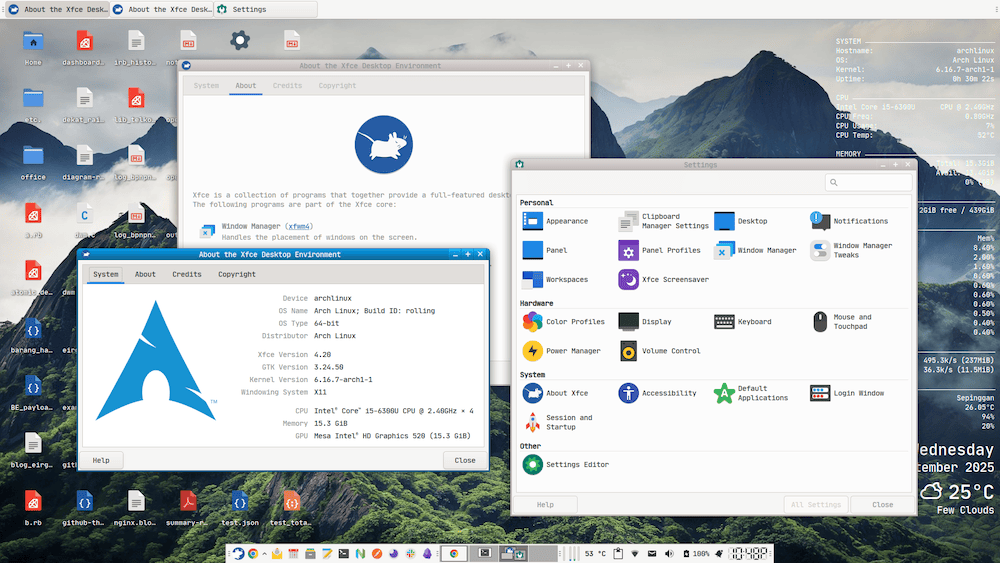
Gambar 1. (dari kiri ke kanan) About XFCE dan Settings Manager
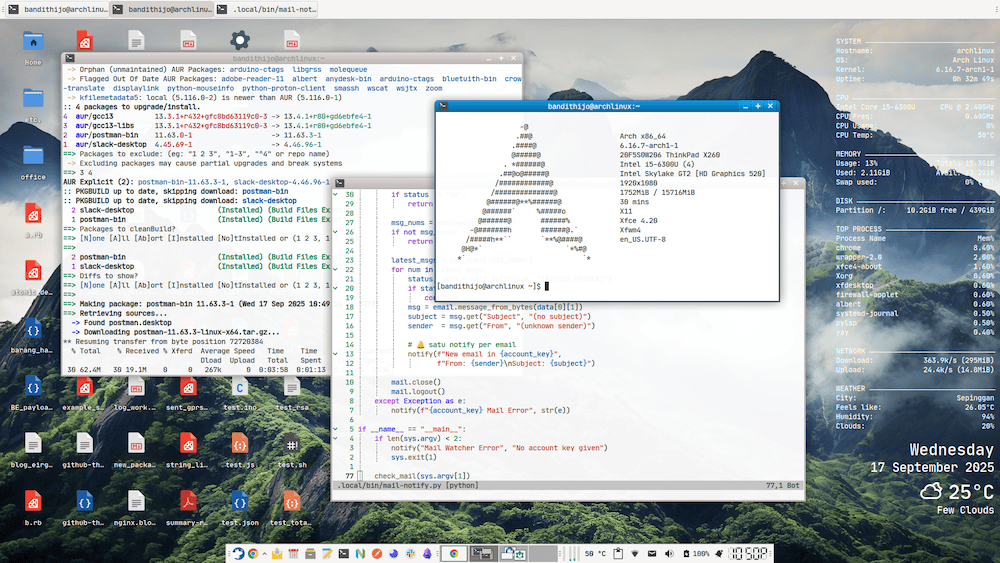
Gambar 2. (dari kiri ke kanan) Yay, Neovim, Neofetch
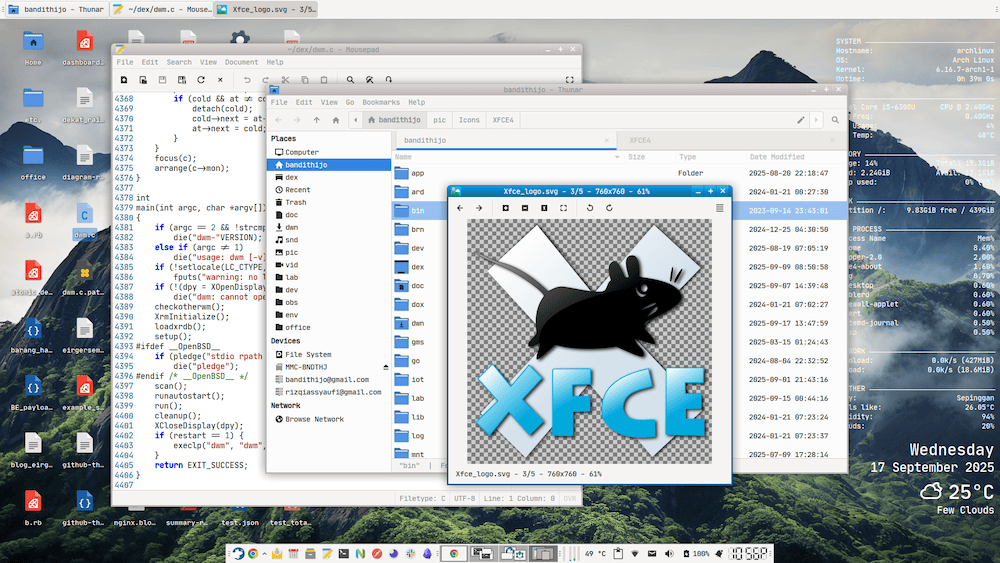
Gambar 3. (dari kiri ke kanan) Mousepad, Thunar, Viewnoir
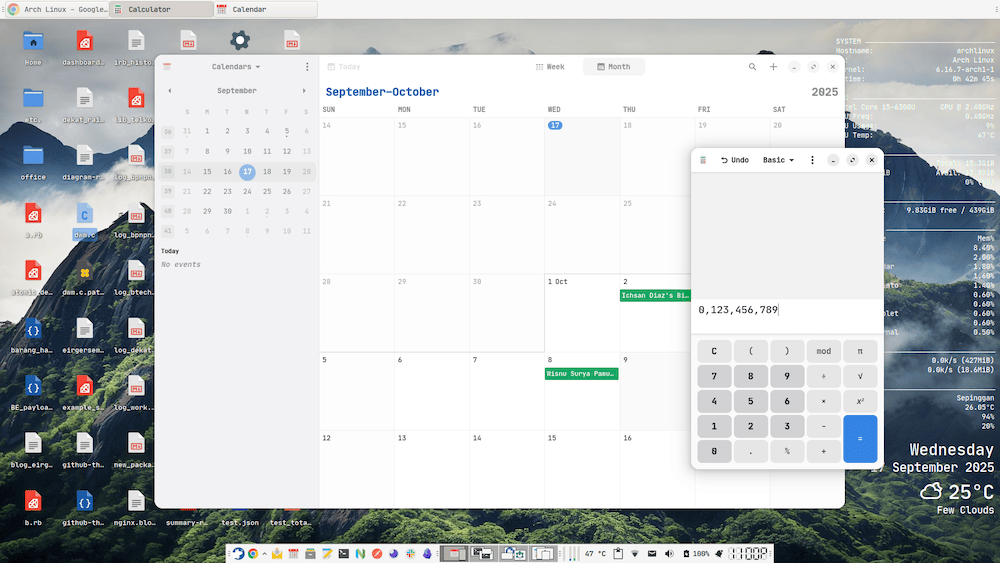
Gambar 4. (dari kiri ke kanan) Gnome Calendar, Gnome Calculator
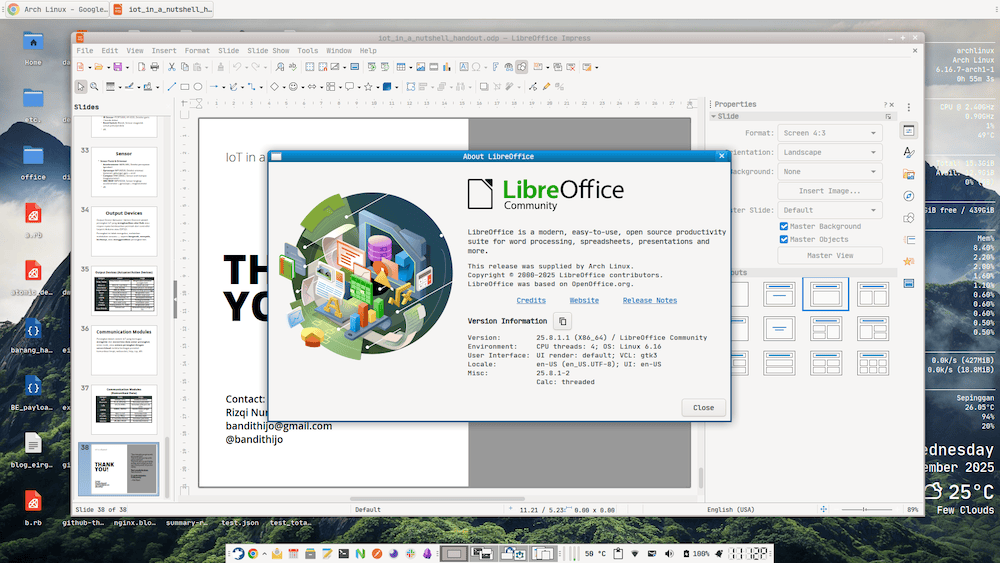
Gambar 5. LibreOffice
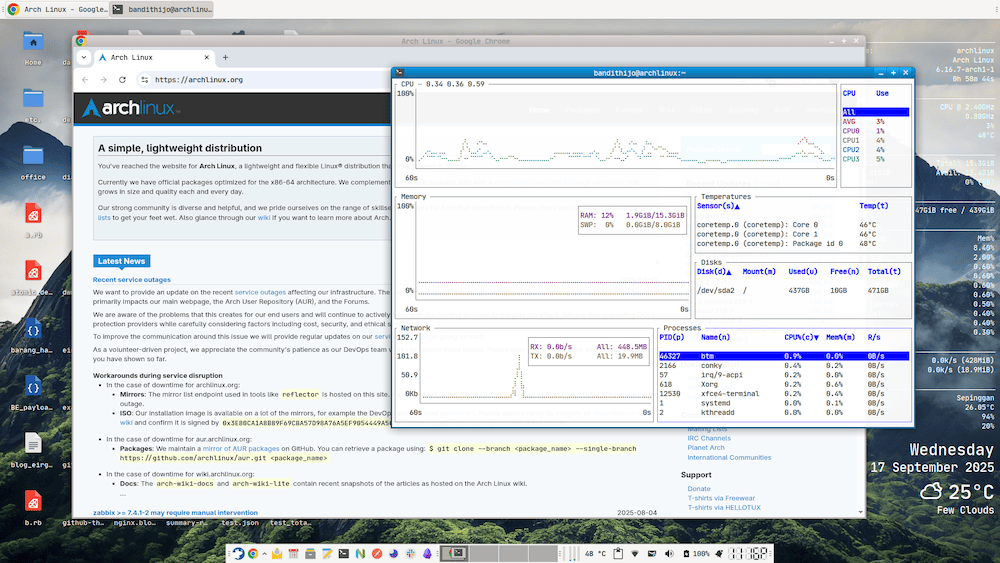
Gambar 6. (dari kiri ke kanan) Google Chrome dan bottom (Sytem Monitoring)
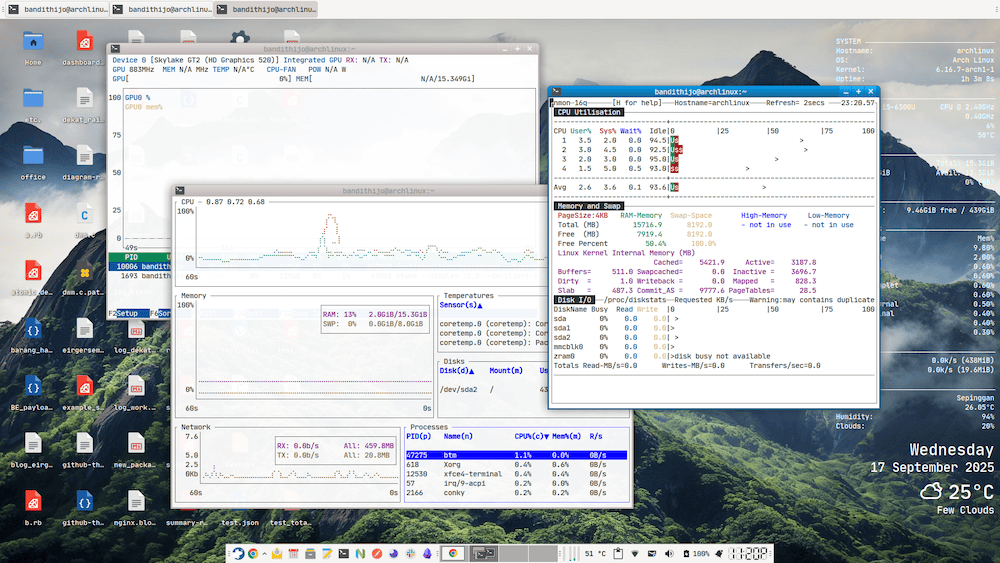
Gambar 7. (dari kiri ke kanan) nvtop, bottom, nmon
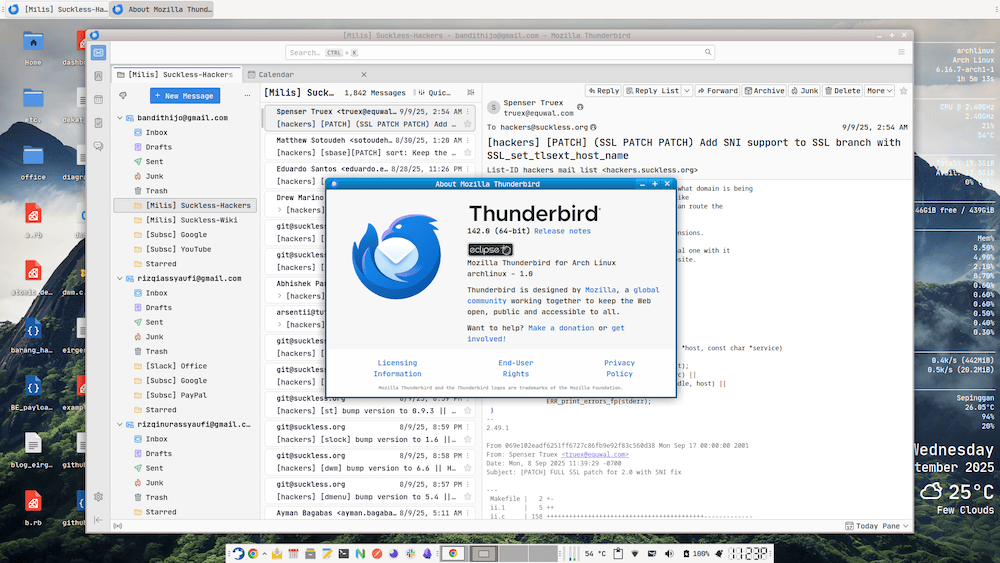
Gambar 8. Thunderbird
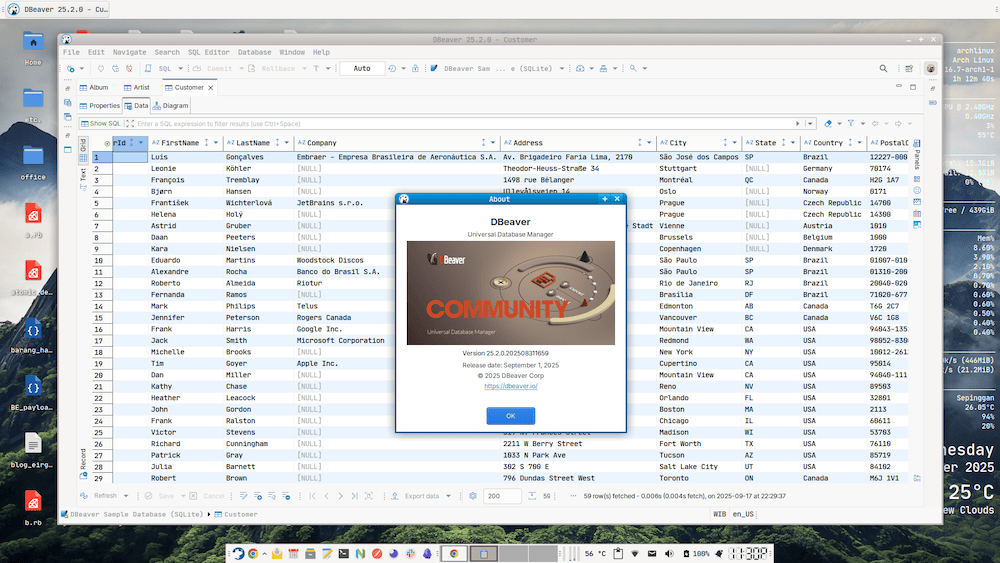
Gambar 9. DBeaver Community
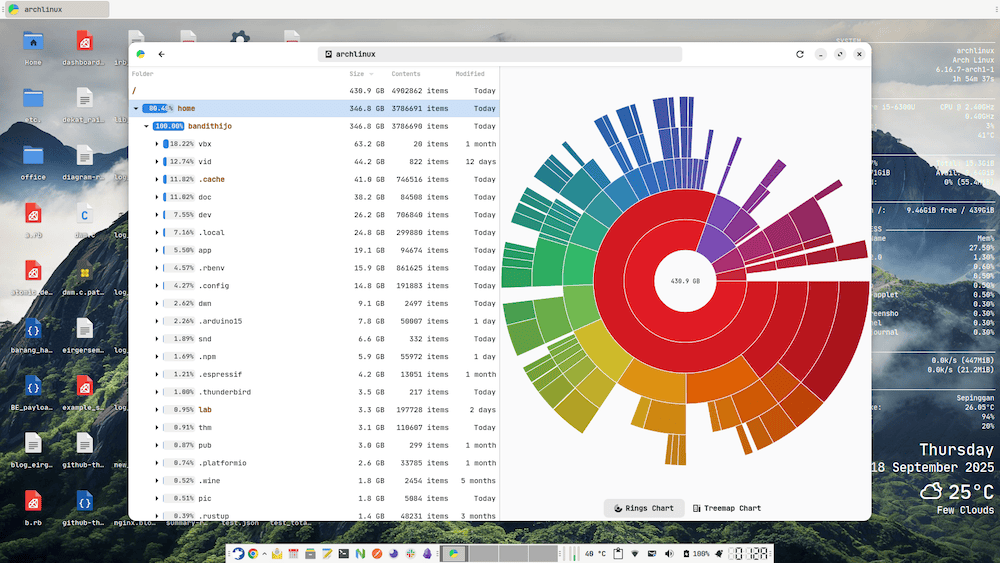
Gambar 10. Baobab
Referensi
-
XFCE Official Website
Diakses tanggal: 2025-11-15 -
XFCE FAQ
Diakses tanggal: 2025-11-15 -
XFCE Projects
Diakses tanggal: 2025-11-15 -
XFCE External Plugins
Diakses tanggal: 2025-11-15